
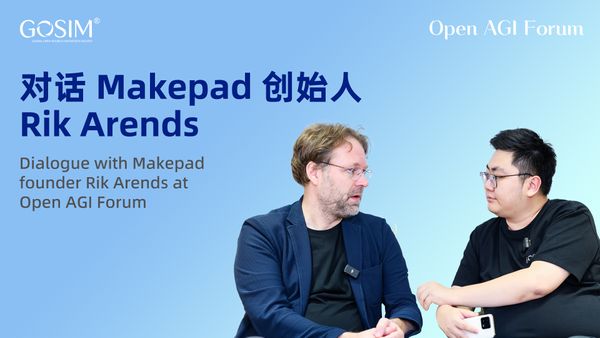
Dialogue with Makepad Creator Rik Arends | Open AGI Forum
AI Integration Could Be Key to New Frameworks Success
2025-3-17
Author | Harper Zhuo
Interview | Eric Wang
Editor | Monica He
Produced | GOSIM
Rik Arends, with over 20 years of experience in programming languages, is a distinguished leader in software development and technological innovation. As the founder of Makepad, he is well-known in the fields of web technology, UI development, and AI integration.
At the age of eight, he became fascinated with computing technology, using it for visual and audio processing. His journey with computers began with self-learning how to write programs to play Mozart and later building Cloud9 IDE. These two "Magic Moments" reinforced his career path, leading him to push the boundaries of programming languages and build Makepad from scratch, ensuring high-efficiency operation across multiple platforms.
In AI-powered Makepad development, Rik Arends is once again at the forefront. Recognizing AI’s profound impact on software development, he is committed to a comprehensive vision beyond merely building a framework. By integrating language models, he has enabled AI applications in code generation, UI design, and more, striving to bridge the gap between developers and AI in application building. He emphasizes that embedding AI efficiently is not just an opportunity but a necessity for industry evolution.
GOSIM was honored to invite Rik Arends to China to engage with global tech professionals and share his valuable experiences. At the GOSIM CHINA 2024 conference, he delivered an insightful keynote titled "Makepad: Visual Application Design in Rust." After the event, the Open AGI Forum, a special dialogue segment of GOSIM, hosted an exclusive interview between Rik Arends and CSDN senior tech editor Eric Wang. They discussed his programming philosophy, Makepad’s development journey, and unique insights into AI-powered applications.
Highlights of the Conversation:
- I want to have the whole IDE with Visual Designer, with Code Editor, all working together in a very nicely tuned way. So that you can give a developer, either or not assisted by AI, the application.
- I think slotting in an AI in a very productive way is an opportunity for us. And not just an opportunity. It's a requirement because this is how software development is going to work in the near future. You either do it or you're no longer relevant.
- I think because Rust has such nice errors, it might be that Rust is going to be the nicest language for an AI to operate in. Because you get so much compiler information, type inferencing, type information goes in from Rust analyzer and the code editor, and then out comes a beautiful error, what it did wrong.
- Self-doubt for programmers should not be a moment of giving up, but a moment to apply what you've learned, learn from mistakes, and try again.
- Our next research direction is an IDE with real-time compilation and design capabilities.
- In the future, AI will assist in programming and design. We have the opportunity to be the bridge between developers and AI in application building, and new multimodal open-source AI models with visual perception capabilities will emerge.
1. Two "Magic Moments" in Life: From Mozart to Cloud9 IDE
Eric Wang: How did you embark on your current career path?
Rik Arends: When I was a very young kid, eight years old or something. I was completely taken by the Commodore 64 and the MSX and the Amiga and these very old computers that had colors and sound. And that was the first attraction to the computer for me.
The first thing I programmed was in basic play a Mozart tune, very basic on the PC speaker. And yeah, that original excitement for computation has never left me. But I did find that every iteration, it became sort of more work to get to the basic place of playing a sound or playing. Even now, it is still very hard. I haven't really completed the APIs to get back to that level of simplicity. But the times have changed. Right now maybe the next frontier is AI music. I don't know.
Maybe holding on to the past there is not the best way to the future, But that was how I originally started with it.
When I was 18, I started using the first GPU, the Voodoo graphics in C++. That was my first "Magic Moment." Before that, if you wanted to draw something, you had to write a CPU function to fill polygons—it was inefficient and difficult to make fast enough for interactive applications. But with the first-generation GPU, you could render a perfect 3D model instantly.
My second "Magic Moment" was when I decided to pursue GPU-accelerated graphics. And all you needed to know was a little bit of mathematics and a little bit of matrix algebra, and then you could do it. Suddenly, the visuals became crystal clear like magic. From that moment, I became interested in UI tools for designing real-time animations.
At first, I worked on UI tools for XML-based applications, all written in C++. By 2004, I realized that the web browser I had built was already on the market. I asked myself if I should continue because I wasn’t particularly good at it—though I did better than I had expected.
So, I shifted to learning JavaScript and web development. That was a painful transition. Going from C++, where I could do anything, to JavaScript, where I was suddenly restricted and slow, was frustrating. But at the same time, you could make money developing web applications for businesses. That was my entry into UI technology development. At some point, we had enough UI technology to build an IDE, which eventually became Cloud9 IDE.
Eric Wang: What challenges did you face in developing a web-based IDE, especially now that AI IDEs are emerging, and they are still cloud-based?
Rik Arends: We rolled into the cloud IDE space from being fairly good at building complex user interfaces in a browser, and is still very much of a challenge that a small group of people is capable of doing in HTML.
One challenge was UI performance—how to manipulate the DOM to make the code editor fast enough. My colleague Fabian, a pioneer in code editing technology, handled that part. We had a small company and a team of engineers, and that challenge was solved as a foundation for further development.
The other challenge was building a UI toolkit around it, which my co-founder at the time developed. I always felt that UI problems weren’t fully solved because performance wasn’t fast enough. I couldn’t do things like code folding or animations properly. Those features simply didn’t work well in HTML.
So, in my experience, the UI was a bottleneck to actually innovate because I didn't want to do just the same thing as the other IDEs. I wanted to do new things. But the real problem was the cloud back-end, like hosting compiles with people and the cloud at the time was very early. So, everybody just had their first cloud or something. And so that meant that we had to search for a cloud solution that worked, that was incredibly hard.
This made me despise cloud computing because it was not only complex to manage but also expensive—especially for startups.
2. Makepad Originates from the Pursuit of an Ultimate UI Experience
Eric Wang: As the founder of Makepad, how did you initially build the framework, and what problem does it solve?
Rik Arends: Makepad is a complete rewrite of the UI stack from scratch. I wanted to build UI this way. Before founding Makepad, I created Cloud9 IDE. I've always been passionate about building high-performance UIs to enable complex applications. However, I found HTML to be very limiting, so I started looking for better solutions, especially for code editors, IDEs, and design tools.
Since Cloud9 was built on HTML and CSS, I was very familiar with it. I also realized that the HTML engine wasn't fast enough for dynamic design applications. I always wanted to integrate design and code.
I have a code editor with live inline widgets with animations. I have a design tool that is all scaled up to not be a toy, to actually work at skip. WebGL had just been released, and I wondered, "What if I could do something like ShaderToy?" In ShaderToy, I saw a place for writing pixel shaders. Although the execution was inefficient, it showed me that there was a way to draw or adjust styles that wasn’t based on CSS or vector engines—maybe we could use little programs for the styling.
Then we just use JavaScript and WebGL. And I tried to build my IDE again in WebGL and JavaScript, I tried almost five times or six times completely from scratch, It failed again for some reason. My last iteration had make that JavaScript using a multi-threaded architecture. So, I had a display server in the main thread and I had web workers that ran the applications that would just send over their display commands and their shader programs to the main thread. I was really very proud of it
The problem was that I wanted to use it for self-fulfillment. I tried writing a content-generating program on Makepad, but after about 30 minutes, Chrome kept crashing with missing error messages and no way to determine the cause. At that point, I already had a great code editor based on WebGL and JavaScript, but its efficiency was so low that the CPU usage reached 100% and it was running poorly.
One of my enthusiastic friends who worked in game development thought the UI was cool, but it used too much CPU memory, affecting other tasks. This really struck me. UIs usually use very little CPU, and I started thinking about doing useful optimizations, like for CAD software or other high-performance computing tasks. Although I considered doing it on another thread, that wasn’t ideal. So, I basically gave up on JavaScript, having tried five or six times without success.
My co-founder Eddie, who had worked at Mozilla and contributed to the Rust project, recommended we use Rust. I thought it could be implemented via WebAssembly, so the dream of running it in the browser was still possible. I started relearning Rust, which was really hard.
Eric Wang: So, how does Makepad take advantage of modern CPU and GPU capabilities to improve performance?
Rik Arends: Since Rust is a compiled language, I wrote the UI model code for Makepad in a way that was efficient, concise, and barely used any CPU. I optimized the performance to process every 16 or 8 operations in a millisecond, keeping CPU usage around 10%. This left CPU free for other tasks and didn't drain the battery. I moved style processing to small shader programs, so there was no need for CPU to run vector engine triangulation or vector engine code, saving time. However, the GPU’s efficiency drops slightly. When processing very simple or generated vector data, Makepad’s GPU performance drops a bit, but I think it’s a worthwhile trade-off. As long as it's not redrawing constantly, the GPU won't drain the battery, and the GPU’s speed is increasing. So even within the GPU window, my GPU usage time has been decreasing. It’s only a matter of time. When I first started with Makepad, I worried about using too much GPU, but now that’s not a concern.
Eric Wang: How does Makepad approach cross-platform development in a unique way?
Rik Arends: First, Makepad is unique in that it maintains a certain level of platform specificity rather than excessive abstraction. Low-level platform abstraction is hard to achieve consistently, as there are significant differences between platforms. Makepad’s backend supports WebAssembly, iOS, macOS, Windows, Linux, and Android. These platforms are similar in some ways, but implementations like the event loop are completely different. On Android, we even run in a special thread, not the UI thread. The graphics API abstracts shaders at a high level, converting Makepad’s shader language to Metal or GLSL.
Then, I implemented a scene graph interpreter for each backend to avoid the complexities of low-level platform abstraction. While low-level abstractions like WGPU may be better, they’re often too complex and not suited for Makepad. WebAssembly is even stranger—it’s a message-passing backend, so low-level implementation can result in poor performance. The high-level platform abstraction brings Makepad an advantage in compilation time.
Since our codebase includes everything from platform layers to upper layers with minimal reliance on external libraries, especially platform-layer libraries, I can compile Makepad Studio or IDE with all widgets and content in 10 seconds. I try to keep the code concise. Even when handling font support, we avoid heavy burdens, keeping things lean to see if it can continue that way.
Fast compilation is a crucial starting point for development because the final outcome is hard to predict, and a quick compilation process sets a good foundation for future development.
Eric Wang: What do you think are the advantages of Makepad compared to other popular UI frameworks like Rigged or Flutter?
Rik Arends: I’m focused on building a complete vision, not just a framework. I want to create a fully integrated development environment that combines a visual designer and a code editor, working together to provide developers with an application that they can use efficiently, whether assisted by AI or not. Users can click a button and deploy the app to mobile, web, or desktop. I believe this comprehensive approach will be key to differentiating us.
I don’t think Flutter has a design tool, though someone might have developed one for it. There have been attempts like Webflow in the web space, but nothing really good. For web collaboration, Makepad uses a web canvas for embedding, but collaboration is less strong on other operating systems since it uses its own Metal window. So, we are looking for optional WGPU backend enhancements, like interoperability with systems such as Bevy. But the main goal is to achieve the value we set, and compatibility will come later.
3. Makepad Will Bridge the Gap Between Developers and AI in App Building
Eric Wang: Looking ahead, what plans or vision do you have for the future development of Makepad?
Rik Arends: As I mentioned in my talk, the old model of software development is at a turning point, and AI will have a major impact on it. This means that simply applying the old Visual Basic methods to Rust won’t be enough for Makepad’s future development. Therefore, we are rethinking and exploring the role Makepad can play in an AI-driven future. In the future, AI will assist with programming and design. We have the opportunity to become the bridge between developers and AI to build applications. In my vision, new multimodal open-source AI models with visual perception will emerge.
The ideal IDE should allow AI to generate UIs and show results instantly. If the results don’t meet expectations, AI can automatically make corrections without manual intervention. We can also integrate Rust compiler error messages. I believe Rust’s error messages are very user-friendly, and we can gather a lot of compilation, type inference, and type information from Rust’s analyzer and code editor, then display clear error messages. So, it could become the best language for AI-driven operations. But this is just a hypothesis, I haven’t proven it yet, but it’s definitely a direction we’ll research—an IDE with real-time compilation and design capabilities.
I believe efficiently embedding AI is not only an opportunity but a necessity because this is the inevitable direction for the industry. Either you keep up with the trend, or you get left behind.
Eric Wang: What AI features have you integrated into Makepad?
Rik Arends: The first integrated feature is a language model. It’s simple—I wrote some example code with annotations. I guide it by inputting context and requirements, and adding error correction code. It turns out this approach works quite well. It generates shader language, UI domain-specific languages, and Rust API code effectively. However, its scalability still needs time to be validated. I don’t know the results yet, I’m just sharing the proof of concept.
Eric Wang: What inspired you to integrate AI into Makepad? Is this a recent idea?
**Rik Arends: **This is a more recent development. As I said, I’ve been doing this for 10 years. It’s the result of front-end engineering challenges I faced when working on Cloud9. This took longer than I expected—I had to give up JavaScript, learn Rust, and overhaul the entire system.
If you compare Makepad from six months after I started learning Rust to now, you’ll see it’s been optimized several times. But unlike JavaScript, we can optimize and refactor Rust because its compiler provides very helpful error messages. But if you try to refactor JavaScript, you’ll encounter all sorts of issues at runtime, and that’s a terrible experience.
So, Rust greatly improved my efficiency. I don’t have a fixed timeline, I’m just progressing toward the established direction. Over time, I began thinking about integrating AI code generation. But experiments from a year or two ago had too many errors to be practically usable.
But when OpenAI's GPT-3 was released, I saw it was generating high-quality code, so I resumed researching open-source models and realized that open-source models aren’t that far behind—they’re catching up.
As for Makepad, I hope that at least when I ask people about these AI models, like "Do you know Makepad?" they’ll have some knowledge of it. Makepad is clearly in the training dataset because AI has read our codebase and trained based on it.
Eric Wang: How does AI integration enhance Makepad's functionality for developers?
Rik Arends: When we create a new framework with a new language, Rust is new to many people. We will introduce a new DSL for UI description, and there are many unknowns when using shaders. So, accurate documentation is required, and someone needs to read the documentation to use your system, which is becoming rarer. Or, we can let AI handle boilerplate code; just provide a question, and it can give the best answer. I believe AI integration could be the key to Makepad’s success as a new framework.
Eric Wang: How do you think Makepad’s performance-oriented design combined with AI will impact application development?
Rik Arends: I hope we can use AI to generate Rust code from higher-level specifications, narratives, or sketches, making Makepad’s performance advantages more accessible and usable. But Rust isn’t an easy language to write—it has a borrow checker, which is very difficult for those who only understand garbage collectors. So, I hope to leverage AI to improve Makepad's performance without increasing the difficulty for developers.
Eric Wang: How do you think Makepad will improve developers’ workflows?
Rik Arends: Many improvements to Makepad are still underway, but it’s already powerful enough for building applications. For example, we have sample apps like Robrics, which is a Matrix client Kevin is working on, and Moly—a front-end AI application. These are great test cases for our UI system, but building these UIs is challenging and requires skilled developers. We’re leveraging existing infrastructure to build tools like drag-and-drop editors and integrating type information into the IDE. We plan to deliver these tools to developers next year.
4. Programmer's Growth Handbook: "Surfing" Through the AI Era
Eric Wang: You have 20 years of programming experience, including C, C++, JavaScript, and Rust. How has your experience with different programming languages influenced your view of software development?
Rik Arends: I think it's crucial to explore the limits of programming languages. In 2005, I reached the limits of C++ in application development. After that, I delved into JavaScript, transitioning from static compilation to JavaScript. JavaScript introduced garbage collection, which slowed down performance but prevented terrifying memory errors. This opened up a whole new programming paradigm. For example, generating code in C++ is difficult, and templates are clunky, but in JavaScript, you can generate a lot of things dynamically at runtime. I also learned a lot about metaprogramming, something that wasn’t possible in C++. Now, I have the ability to generate specialized functions at runtime.
Rust, in some ways, is a step backward and a huge leap forward. It brings us back to the realm of compiled languages, without runtime code generation. But we gain excellent memory safety, high performance, and low-level API access without a lot of overhead. So, every time I switch languages, I learn something new, but this doesn’t apply to all languages. Rust doesn’t have garbage collection or runtime code generation, and this changes the way you program. Overall, it’s better because runtime code generation is very tricky.
Rust's structured safety system actually benefits code quality. When I used C++, I faced memory errors that caused unpredictable crashes, which wasn’t great for my blood pressure. JavaScript could lead to unpredictable memory issues, causing garbage collectors to stutter. When rendering in a UI, you obviously don’t want your animations to stutter. With Rust, even though there are limitations, it’s very stable, and the generated code is also very stable.
Rust doesn’t have memory or performance issues at runtime, while some things that are considered good in other languages might not be as friendly for production software.
Eric Wang: From a programmer’s perspective, do you think we really need AI to have human emotions or empathy, or do we just need a perfect tool?
Rik Arends: I find it hard to say exactly what we need. In the future, we will have many variations of things. We will have seemingly conscious computers acting as assistants. Everything will unfold as it will. It’s not something I can control or direct. It’s like a wave coming at us. All we can do is try to ride it, surf through it.
Eric Wang: I’ve heard that programmers often experience self-doubt, and with the rise of AI, this self-doubt may increase. What advice do you have?
Rik Arends: Every time my JavaScript experiments failed, it wasn’t a pleasant moment. But I learned from that phase and tried again. So, self-doubt shouldn’t be a moment for us to give up, but rather a moment to apply what we’ve learned from our mistakes and try again.
I think a lack of self-doubt is actually not a good thing, because it prevents us from reflecting and learning. So, I don’t fear self-doubt; I embrace it. But don’t let it paralyze you—use it to make wiser decisions and get ready for the next attempt.
Eric Wang: For experienced programmers transitioning from traditional programming to the AI era, as well as developers who want to use or contribute to Makepad, what advice would you give?
Rik Arends: I’m facing the challenges of the AI era myself. I’m thinking about how to turn the upcoming changes into something positive. I’ve realized that, first, we can’t ignore AI. If we ignore it, we won’t benefit from the huge productivity boost that’s coming. The progress that’s on the way isn’t fully realized yet, but it’s already on the horizon.
Many developers have already started using cursors or leveraging AI for tasks like document search or writing comments—these have become part of their everyday workflows. But I want to emphasize that we must embrace AI rather than ignore it. The new era is arriving, and we no longer need expert developers to handle boilerplate tasks. AI can replace that. For many developers, this will be an era with superpowers, using AI to achieve goals. So, I think the most positive attitude is to enjoy the upcoming period.
Eric Wang: Thank you so much, Rik Arends, for sharing this profound analysis with us. Thanks to all the developers watching, and that concludes this session of the Open AGI Forum. We’ll see you next time!